
How do I change the language of the SILAB web portal?
The language is set in Profile → Preferences.
-
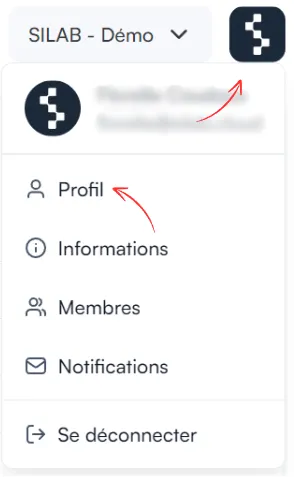
Click the SILAB logo at the top right, then Profile.
-
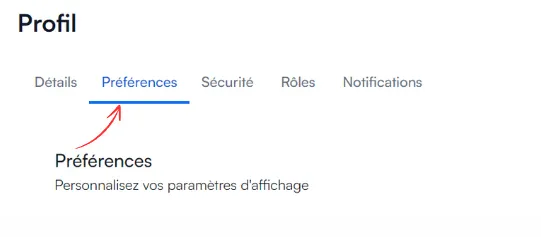
Open the Preferences tab.
-
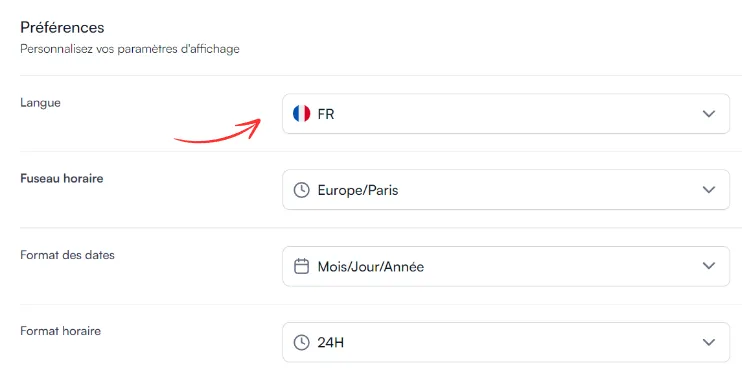
Choose your language.
-
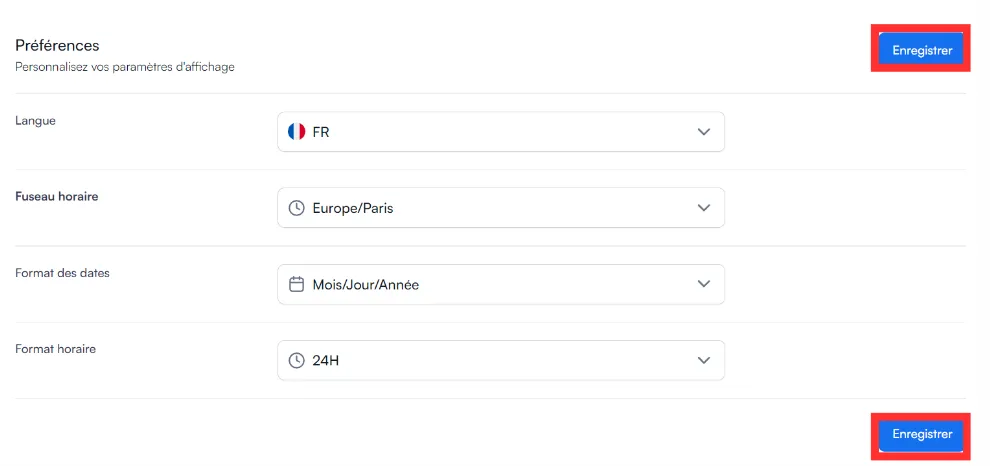
Click Save.
Answers from the official documentation
Hello 👋
Ask anything about the mobile app, the web portal, sensors or controls. I answer from the documentation and cite my sources.
The language is set in Profile → Preferences.
Click the SILAB logo at the top right, then Profile.
Open the Preferences tab.
Choose your language.
Click Save.