How do I turn email notifications on or off?
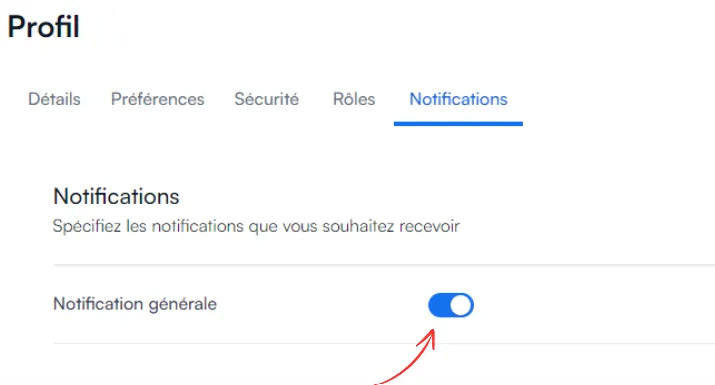
To cut down on non-essential emails, open Profile → Notifications and use the switch for general notifications.
-
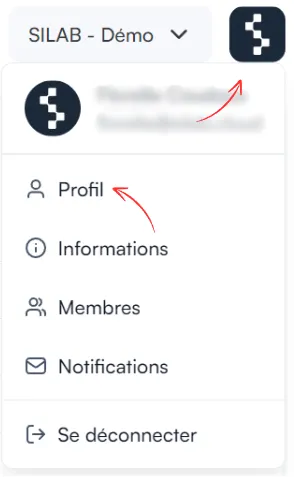
Click the SILAB logo at the top right, then Profile.
-
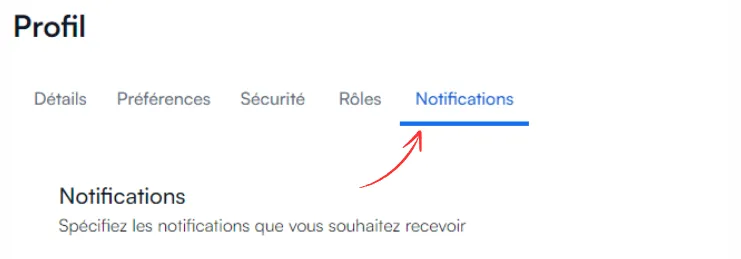
Open the Notifications tab.
-
Turn general notifications on or off with the switch.