
How do I export the list of my checkpoints?
From Checkpoints → List, click Export: an Excel file with all the site’s checkpoints downloads.
-
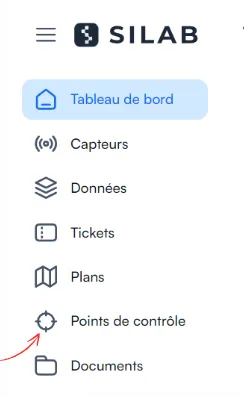
In the left-hand menu, select Checkpoints.
-
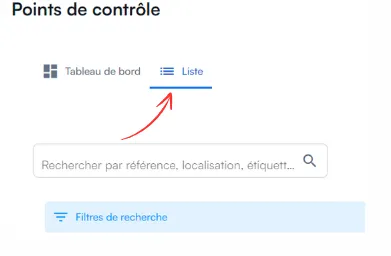
Click List.
-
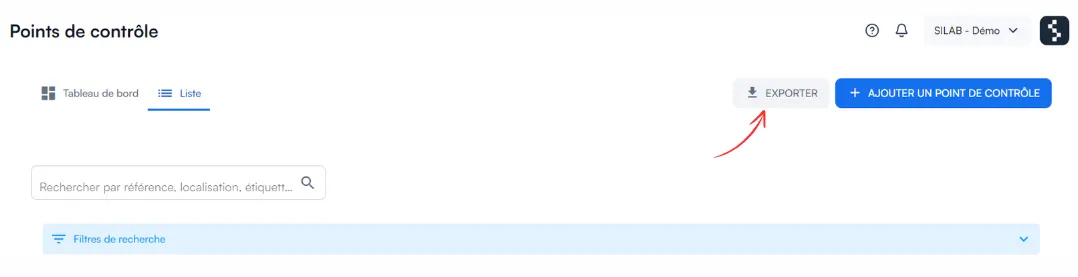
Click Export, at the top right.
Answers from the official documentation
Hello 👋
Ask anything about the mobile app, the web portal, sensors or controls. I answer from the documentation and cite my sources.
From Checkpoints → List, click Export: an Excel file with all the site’s checkpoints downloads.
In the left-hand menu, select Checkpoints.
Click List.
Click Export, at the top right.