
How do I view my SILAB notifications?
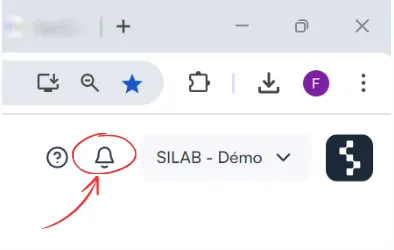
Click the bell at the top right of the screen: your notifications are displayed. SILAB distinguishes 4 types of alerts, and also sends you an email summary.
-
Click the bell at the top right.
-
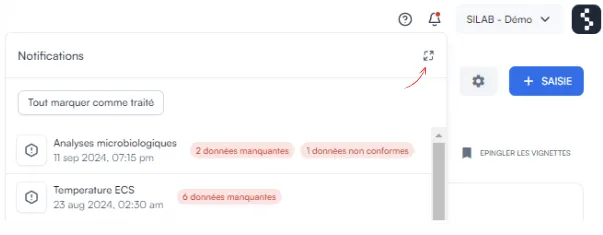
In the Notifications tab, you find the full list. Click the icon at the top right to show everything, then click a notification to open it.
The 4 types of alerts
Section titled “The 4 types of alerts”| Alert | Level | When? |
|---|---|---|
| Missing data | Critical (red) | Data was not recorded within the expected time. |
| Non-compliant data | Critical | The latest data does not meet the defined rules or thresholds. |
| Almost missing data | Warning | Data will soon be missing if nothing is done. |
| Almost non-compliant data | Warning | Data is approaching the defined limits. |
The email summary
Section titled “The email summary”A summary of new notifications is sent to you by email, with a direct View report link.