
How do I configure the structure of my checkpoints?
Your checkpoints (your equipment) are organised according to your facility’s hierarchy, which you can customise freely. For example:
Building → Area → Floor → Room → Equipment
You define this structure with locations, then add labels to filter your equipment easily.
-
Open the Data section and click the gear icon.

-
Click Add location.
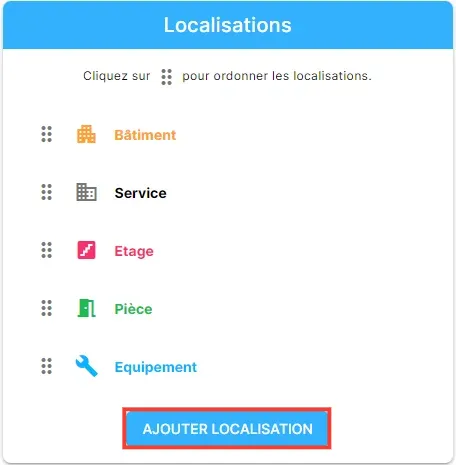
Configure locations (the structure of the building)
Section titled “Configure locations (the structure of the building)”- Click Add location.
- Enter the name of the level (building, area, floor…).
- Choose the right icon.
- Set the label type you want.
- Click Save.
Repeat for each location level you need.
Configure labels (to filter your equipment)
Section titled “Configure labels (to filter your equipment)”- Click Add label.
- Enter the name of the label type (for example: filtration type).
- Choose the expected type of value: numeric, alphanumeric or list of choices.
What next?
Section titled “What next?”Once the structure is ready, you can import your checkpoints from Excel or add them one by one.