
How do I configure a data type in SILAB?
A data type defines what you record: its name, its format (numeric, alphanumeric…), its unit, and constraints such as the minimum or maximum number of characters. You then link it to the relevant checkpoints.
-
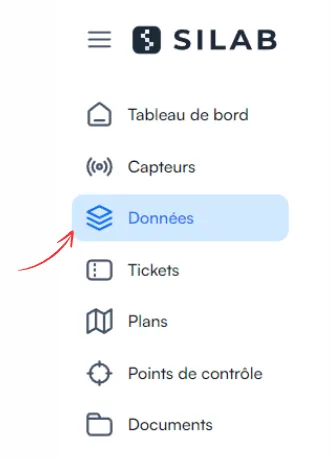
Open the Data section.
-
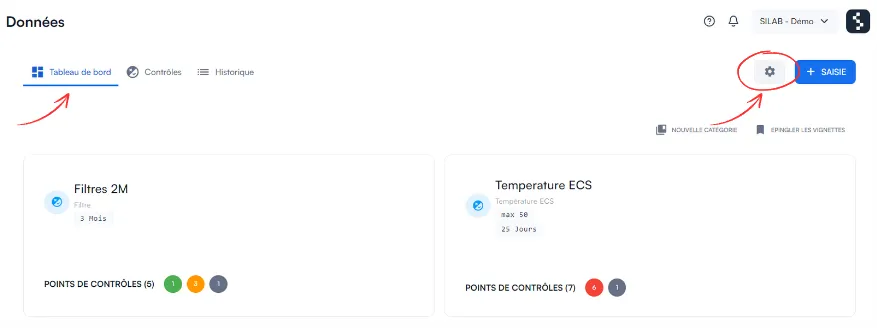
In the Dashboard tab, click the gear icon at the top right.
-
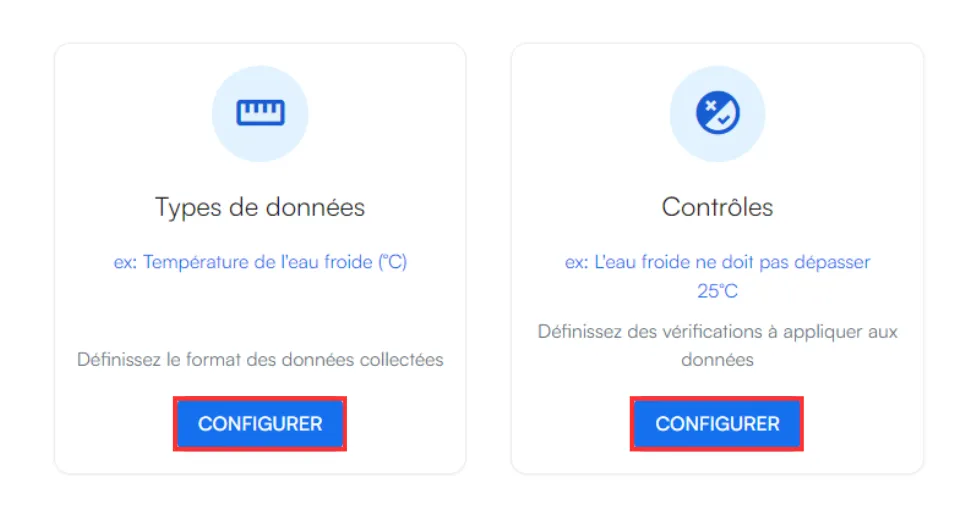
Under Data type, click Configure.
-
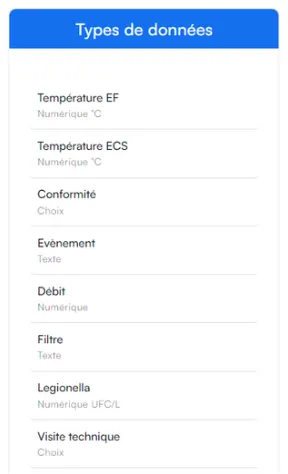
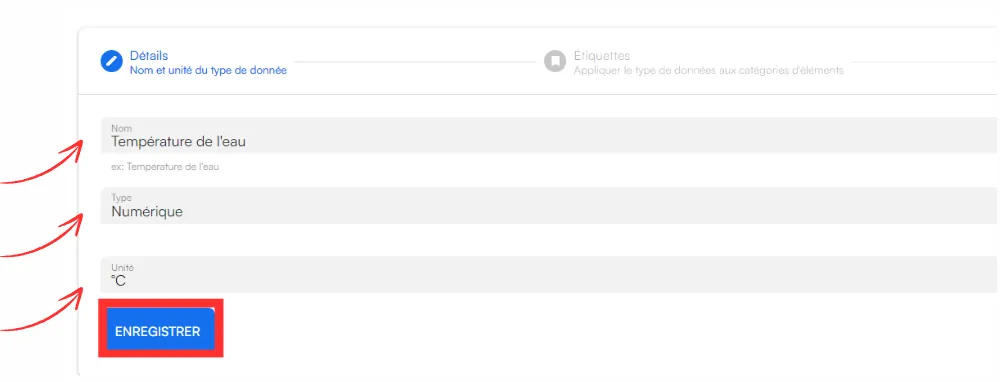
Enter the name of the data and its format (numeric, alphanumeric, etc.), then click Save.
-
To link this type automatically to all future checkpoints, tick Automatically assigned to all created items.

-
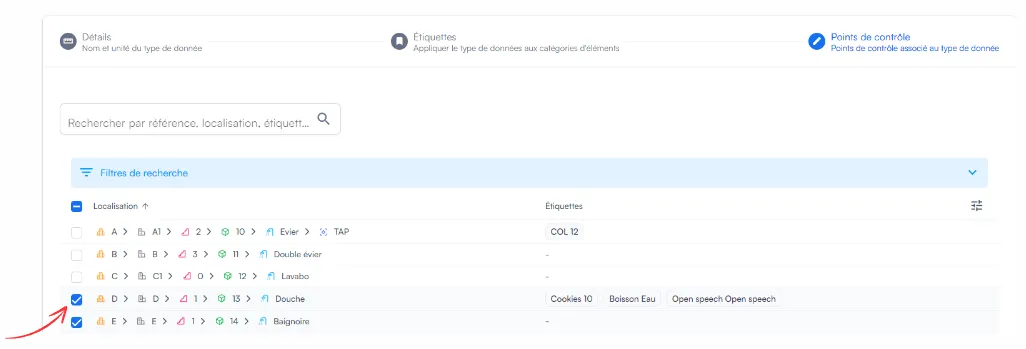
In the Checkpoint section, select the relevant equipment: each selection is saved automatically.
-
Click Close when you are done.