
How do I create a folder in the document library?
In Documents, click Create a folder, choose its Scope and access level, then save.
-
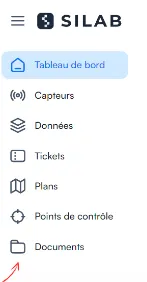
Open the Documents section.
-
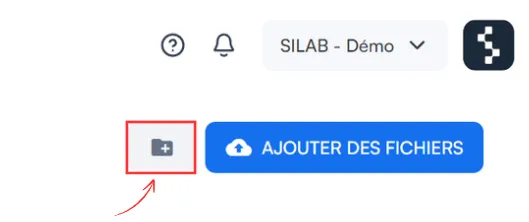
Click the Create a folder icon, at the top right.
-
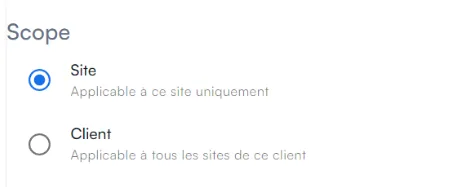
(Optional) To share the folder between several sites of the same client, choose Client under Scope.
-
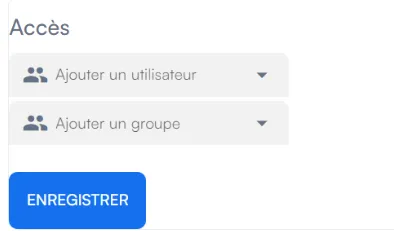
Under Access, choose the visibility level.
-
Click Save: the folder appears on your Documents dashboard.
Access levels
Section titled “Access levels”| Level | For whom? |
|---|---|
| Public | The widest visibility |
| Internal | Internal use within the facility |
| Confidential | Restricted access |