How do I get an email alert when data is non-compliant or missing?
To be notified by email when a value is non-compliant or when data is missing (a filter that was not changed, for example), set the control’s notification frequency, then assign the people to notify.
-
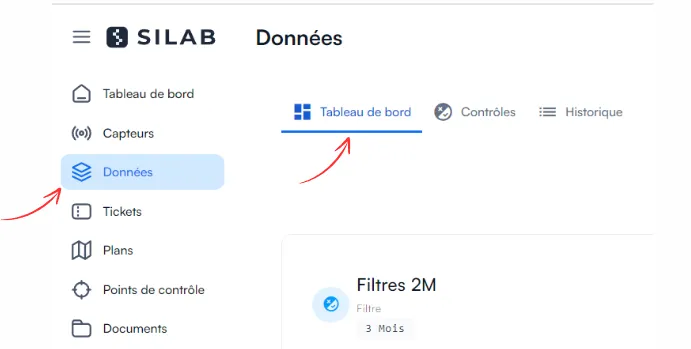
In Data, open the Dashboard.
-
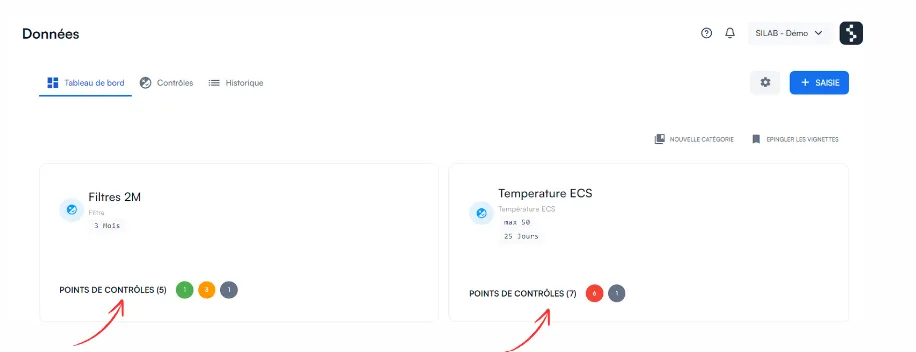
Click the thumbnail of the control you want.
-
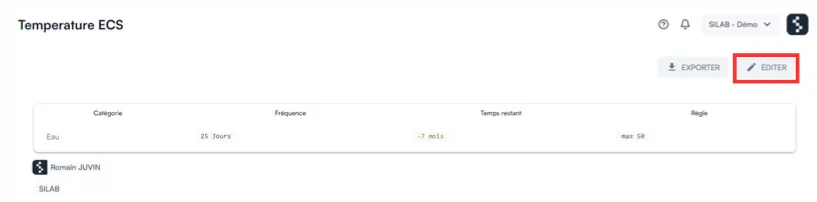
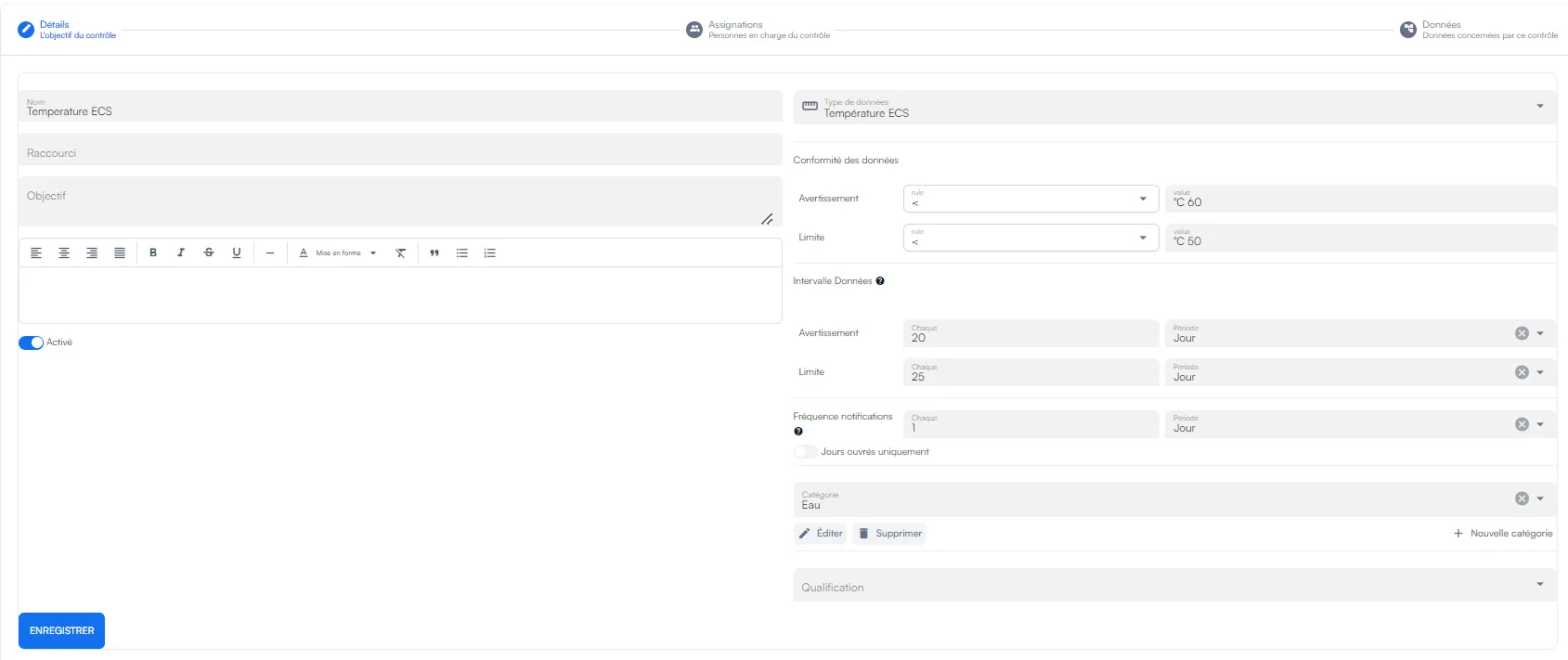
On the control’s page, click Edit, at the top right: the control’s settings are displayed.
-
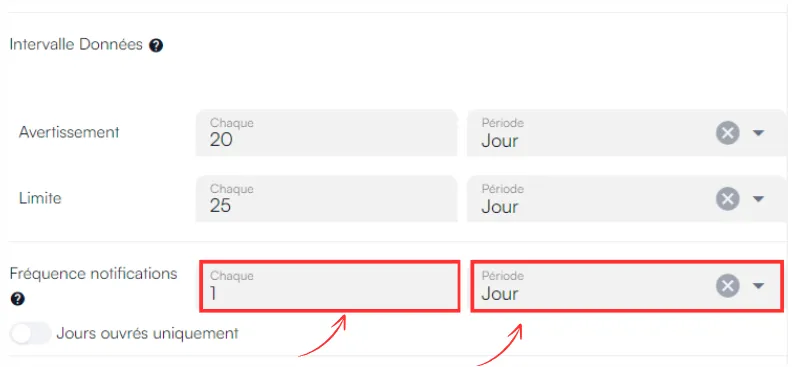
Next to Notification frequency, choose 1 day, then save. You will be notified at most once a day.
-
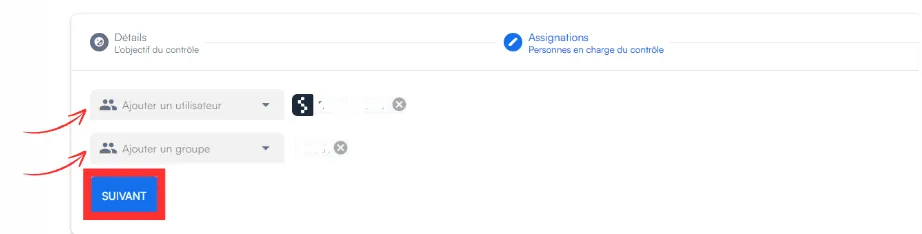
Open the Assignments tab and add the users who should receive the alerts.