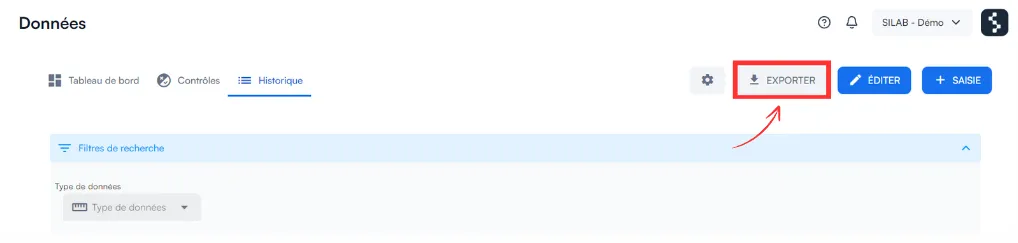
How do I export data over a given period?
From Data → History, filter by data type, control, period and location, then click Export: you get an Excel file.
-
Open the Data section.
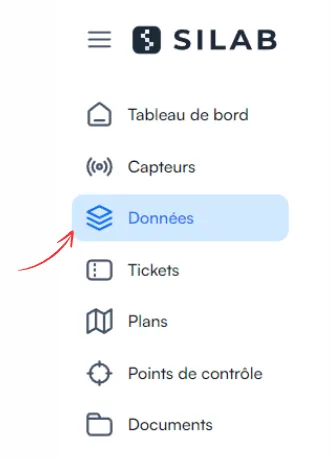
-
Open the History tab, then Search filters.
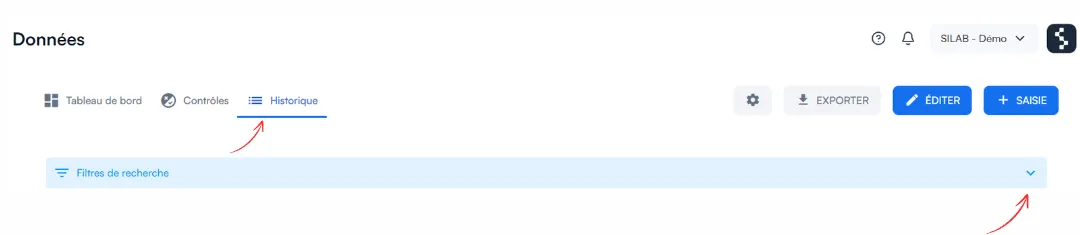
-
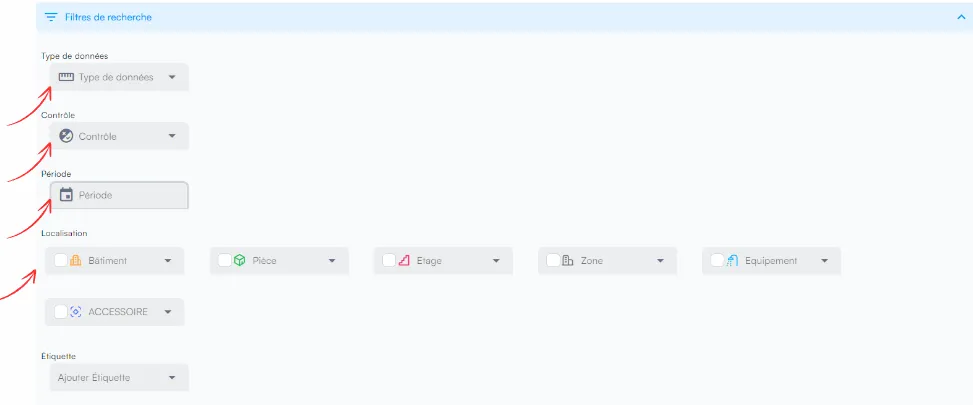
Choose your criteria:
- the data type;
- the control;
- the period;
- the location.
-
Click Export: all data matching your filters is downloaded.